cTrader supports financial spread betting, but the broker must offer a spread betting account on the platform. A broker that provides cTrader for CFDs does not automatically provide it for spread bets. That distinction matters before you compare spreads, download an app or deposit money.
Pepperstone is a confirmed option for eligible UK residents who want to spread bet through cTrader. Rather than treating every cTrader broker as a suitable alternative, this guide focuses on checking account compatibility, comparing the right charges and testing the platform’s handling of stakes and orders.
This guide concerns UK spread betting accounts. Availability through other legal entities or in other countries needs separate confirmation.
Can You Spread Bet on cTrader?
Yes. cTrader has a native spread betting account type, rather than requiring traders to imitate spread betting through a CFD account. Brokers can offer this alongside their other account types. The Spotware spread betting integration specification confirms support across desktop, web, iOS and Android versions.
The distinction sits at account level. On a spread betting account, your stake expresses how much you gain or lose for each defined point of market movement. A CFD account uses its own contract or volume conventions. Sharing the same trading screen does not make the contracts interchangeable.
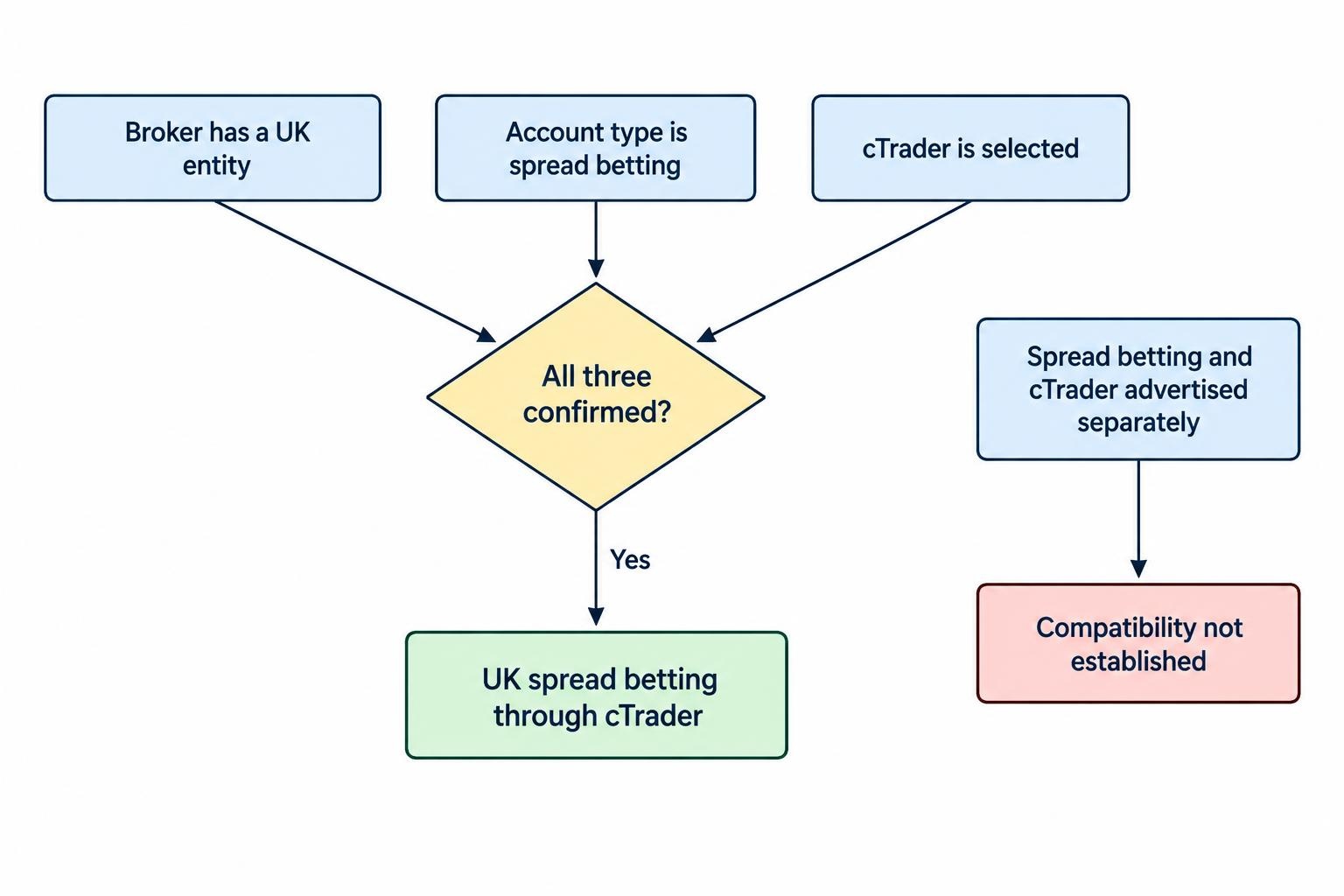
Check three things together: the broker’s UK entity, the account type and the selected platform. A page advertising “spread betting” beside a separate page advertising “cTrader” does not, by itself, establish that the two work together.
If the product distinction is unclear, review the differences between spread betting and CFDs before comparing platform features.
Which Broker Offers cTrader Spread Betting?
Pepperstone: A Confirmed Option to Assess
Pepperstone offers UK spread betting accounts that can connect to cTrader. It also offers Standard and Razor CFD accounts, so selecting the right product during account opening matters. Its broader account and platform offering is covered in the DayTrading.com Pepperstone review.
The practical attraction is access to cTrader without having to choose a CFD account solely to use the software. However, platform compatibility is a starting point, not a reason to overlook pricing, minimum stakes or the markets you actually trade.
For Pepperstone, compare the spread betting tariff rather than assuming that its Razor CFD pricing applies. Advertised raw spreads and commission figures can refer to a different account. A low headline spread is not useful if it belongs to a product you do not intend to open.
Before funding, request confirmation that your chosen market is available on the cTrader spread betting account, along with its minimum stake, stake increment and overnight funding terms. Check the actual dealing ticket rather than relying on a broker-wide instrument count.
Why This Is Not a Long Broker Ranking
A reliable shortlist needs evidence that each broker supports the exact combination: UK spread betting through cTrader. Listing firms simply because they offer cTrader risks sending readers towards CFD accounts.
Pepperstone is the confirmed option covered here, not a claim that no other provider could offer the combination. Any additional candidate should pass the same account-level checks. For a wider search that is not restricted to one platform, use the main spread betting broker comparison.
What the Platform Controls and What the Broker Controls
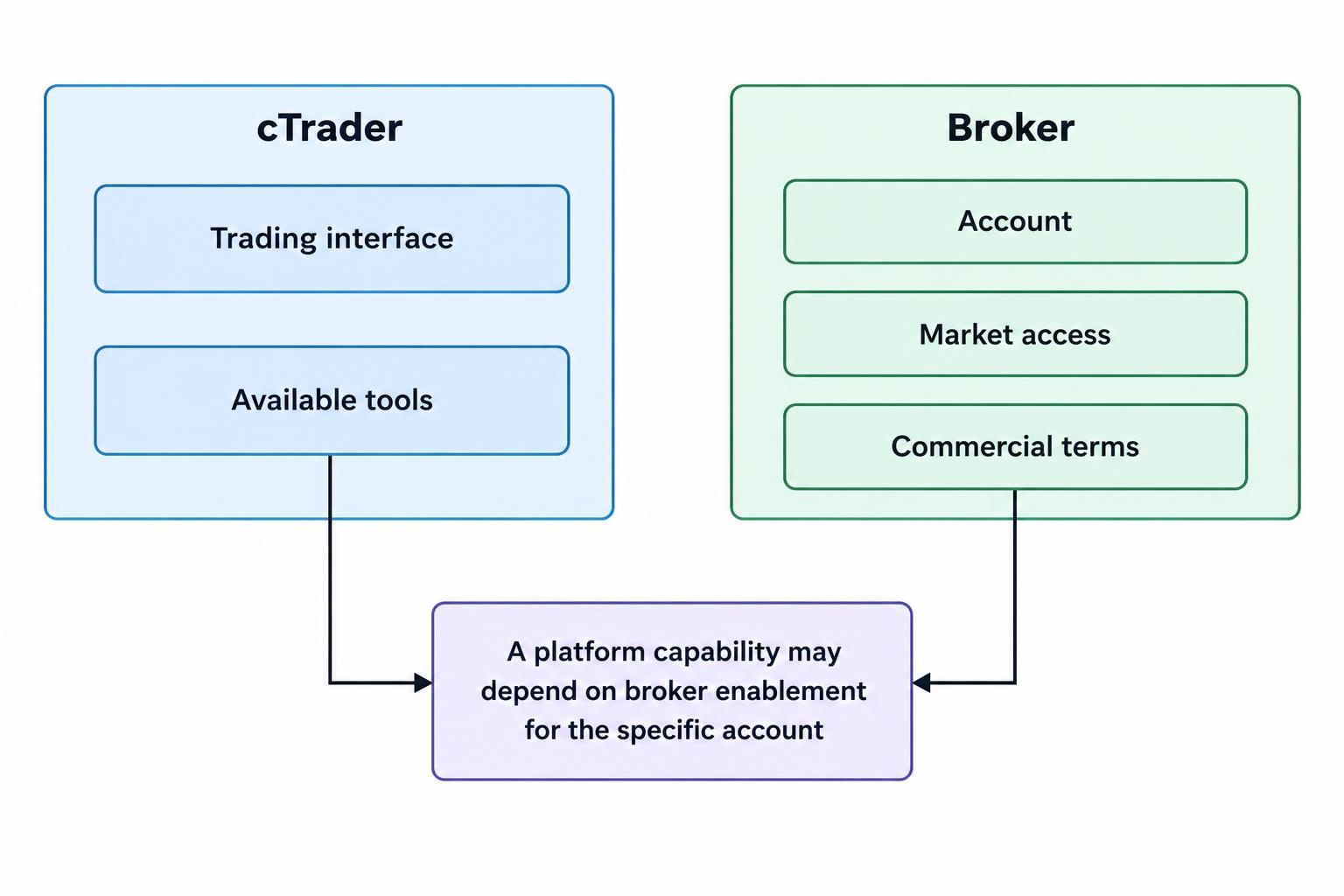
cTrader supplies the trading interface and its available tools. The broker supplies the account, market access and commercial terms. Keeping those responsibilities separate makes comparisons more useful.
| Area | What to check |
|---|---|
| Account compatibility | Whether the broker offers spread betting through cTrader, not just CFD trading. |
| Market access | Whether your chosen instruments appear on that account and platform. |
| Position size | The value of one point, minimum stake and permitted stake increments. |
| Trading costs | The applicable spread, funding adjustments and any other account charges. |
| Order handling | Available order types, trigger settings, trading hours and execution terms. |
Use this separation when reading feature descriptions. A function supported by cTrader may still depend on the broker enabling it for your account. Treat platform capability and account availability as two separate questions.
cTrader Features Worth Testing
Chart-Based Trading and Order Management
Assess the platform through the tasks you perform most often. Can you place a pending entry, attach a stop, amend the order and close part of the position without hesitation? Does the dealing ticket make your monetary exposure clear?
These are better tests than counting indicators. For a trader who places several orders in a session, clarity around stake size and protective orders deserves more attention than another chart layout.
Keep rapid order entry disabled until you are comfortable with the account. Removing a confirmation step saves time, but it also removes an opportunity to catch the wrong stake or direction.
Depth of Market
cTrader offers standard, price and volume-weighted average price views of market depth. These show available liquidity or estimated prices for different trade sizes; some views also support order entry. The cTrader depth of market documentation details how those views differ.
For broker selection, ask a practical question: does the information help you assess the orders you intend to place? Do not treat a visible depth ladder as a promise that every order will fill at the displayed price.
Test the markets and trading hours you expect to use. A platform demonstration during a quiet session tells you little about how comfortable you will be managing an order around a scheduled announcement.
Compare Spread Betting Costs, Not Generic cTrader Costs
There is no useful single answer to “How much does cTrader trading cost?” without identifying the broker, account, market and holding period. Start with the spread betting account’s charges, then assess how they affect your trading pattern.
A quoted minimum spread is not an average spread and should not be treated as a permanent dealing price. Record quotes during the hours you expect to trade, including both ordinary conditions and periods when you would realistically enter or exit.
For a simple illustration, a spread of 1.2 points at £3 per point creates an initial spread cost of £3.60. A spread of 0.8 points at the same stake creates a £2.40 cost. These are hypothetical figures, but they show why comparing costs in pounds is more useful than comparing isolated decimal places.
Use a total spread betting cost comparison rather than selecting a provider on its lowest advertised spread.
Holding Positions Overnight
If you plan to keep positions open, establish the funding adjustment, calculation basis and rollover schedule before trading. Compare the expected cost over your intended holding period, not just the entry spread.
A strategy that looks economical over a short session may produce a different cost profile over several days. The separate guide to overnight financing costs covers the calculation in more detail.
Also check whether there are withdrawal, conversion, inactivity or data charges relevant to your account. Ask for the applicable schedule rather than assuming that “commission free” means every part of the service is free.
Check How cTrader Expresses Your Stake
The dealing ticket must leave no doubt about your cash exposure. Confirm what counts as one point on each instrument, how much each point is worth at your chosen stake and how the platform displays the position.
Consider a hypothetical index quoted at 8,000 to sell and 8,001 to buy. You buy at 8,001 with a stake of £2 per point.
If you close at a sell price of 8,031, the 30-point difference produces a £60 profit before other charges. If you close immediately at 8,000 with the quote unchanged, the one-point spread produces a £2 loss.
A stop at 7,976 is 25 points below the entry price. At £2 per point, that represents a planned £50 trading loss if the position closes at that price, before other charges. An ordinary stop does not guarantee that execution price.
This is why position sizing for spread betting should start with the cash loss you are prepared to accept and the distance to your exit. The margin required to open the position answers a different question.
Automated Spread Betting with cBots
Automation is another reason to consider cTrader, but it introduces account compatibility checks of its own. cTrader Algo supports cBots and custom indicators developed in C# or Python, confirmed in the official cTrader Algo documentation.
Do not assume that a bot written for a conventional CFD account will size spread bets correctly without adjustment. Review its treatment of point values, volume, stakes, minimum trade sizes and rounding before allowing it to send orders.
The distinction is present in the platform’s account data. Spotware’s account operations documentation identifies spread betting as a separate account type and includes stake information for spread betting positions.
A sensible test is to choose a small hypothetical trade and calculate its expected profit or loss manually. Compare that figure with the bot’s calculation and the platform’s display. Repeat the exercise on every market the strategy will trade.
Backtesting should be followed by forward testing on the intended account configuration. Include realistic trading costs, order failures and exit behaviour in the assessment. A profitable chart is not a substitute for a bot that sends the correct order.
Regulation and Risk Controls
Check the contracting legal entity before opening an account. A familiar brand name or cTrader login is not a regulatory check. The FCA warns that overseas entities can use similar names and that moving to another jurisdiction can change the protections available; its information for CFD and spread betting customers addresses these account-entity risks.
Match the legal name, permissions and contact details against the regulator’s records. The guide to checking a broker on the FCA Register provides the process.
UK retail protections include market-dependent restrictions on borrowed exposure, account-level margin close-out and negative balance protection. The margin close-out rule uses 50% of required initial margin as a regulatory backstop, while firms may set an earlier close-out threshold. These safeguards are set out in FCA policy statement PS19/18.
Those protections do not make an individual trade low risk. Negative balance protection concerns account liability, not the loss on each position. Nor does an ordinary stop guarantee its execution price during a market gap.
If a fixed exit price is part of your risk plan, verify the broker’s actual provision, eligible markets and charges for guaranteed stop protection. Do not infer availability from the platform’s technical capabilities.
How to Assess a cTrader Spread Betting Account
Begin with a spread betting demo account configured as closely as possible to the account you intend to use. A generic CFD demonstration may help you learn the interface, but it does not settle every spread betting question.
- Confirm the product. Check that the selected account is for spread betting and that its currency and stake conventions are clear.
- Inspect your markets. Review point values, minimum stakes, trading hours, funding information and available orders.
- Rehearse complete trades. Test entries, protective orders, amendments, partial closures and position closures.
- Check the records. Compare the completed trade’s prices, stake and charges with your own calculation.
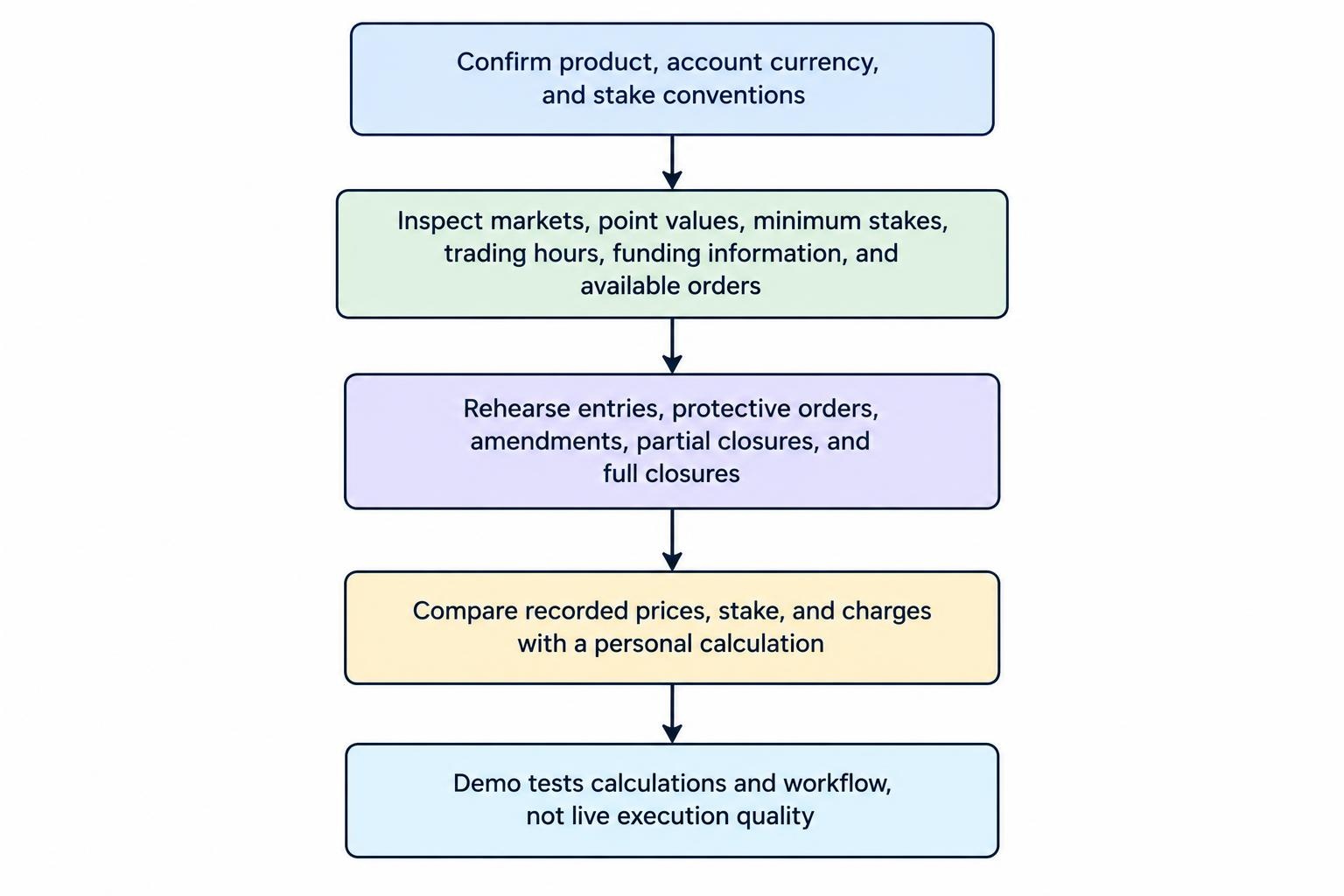
A demo is useful for checking calculations and workflow, not proving live execution quality. Keep that distinction clear when deciding whether to proceed.
Is cTrader the Right Requirement?
Make cTrader a requirement if its order workflow or automation tools serve a clear purpose in your trading. Otherwise, compare the account terms first and the interface second.
If platform choice remains open, consider the available MetaTrader 5 spread betting brokers alongside cTrader-compatible accounts. Compare the same markets, stakes, holding periods and risk controls rather than software names alone.
For cTrader, start by assessing Pepperstone’s eligible UK spread betting account. Confirm the product, test the stake calculations and obtain the applicable charges before funding. Platform preference should narrow your shortlist, not replace the checks that make a broker suitable.